10 AI Professional Headshot Generators Compared for Realistic LinkedIn Photos

Your LinkedIn photo is your digital handshake, and AI has flipped the studio model on its head. When a TikTok trend pushed Remini to 22 million downloads in a single month, it proved millions are willing to let algorithms handle professional portraits. Now hundreds of web tools promise studio-grade shots in minutes at a fraction of a photographer’s fee—but which ones deliver a photo you’ll proudly post?
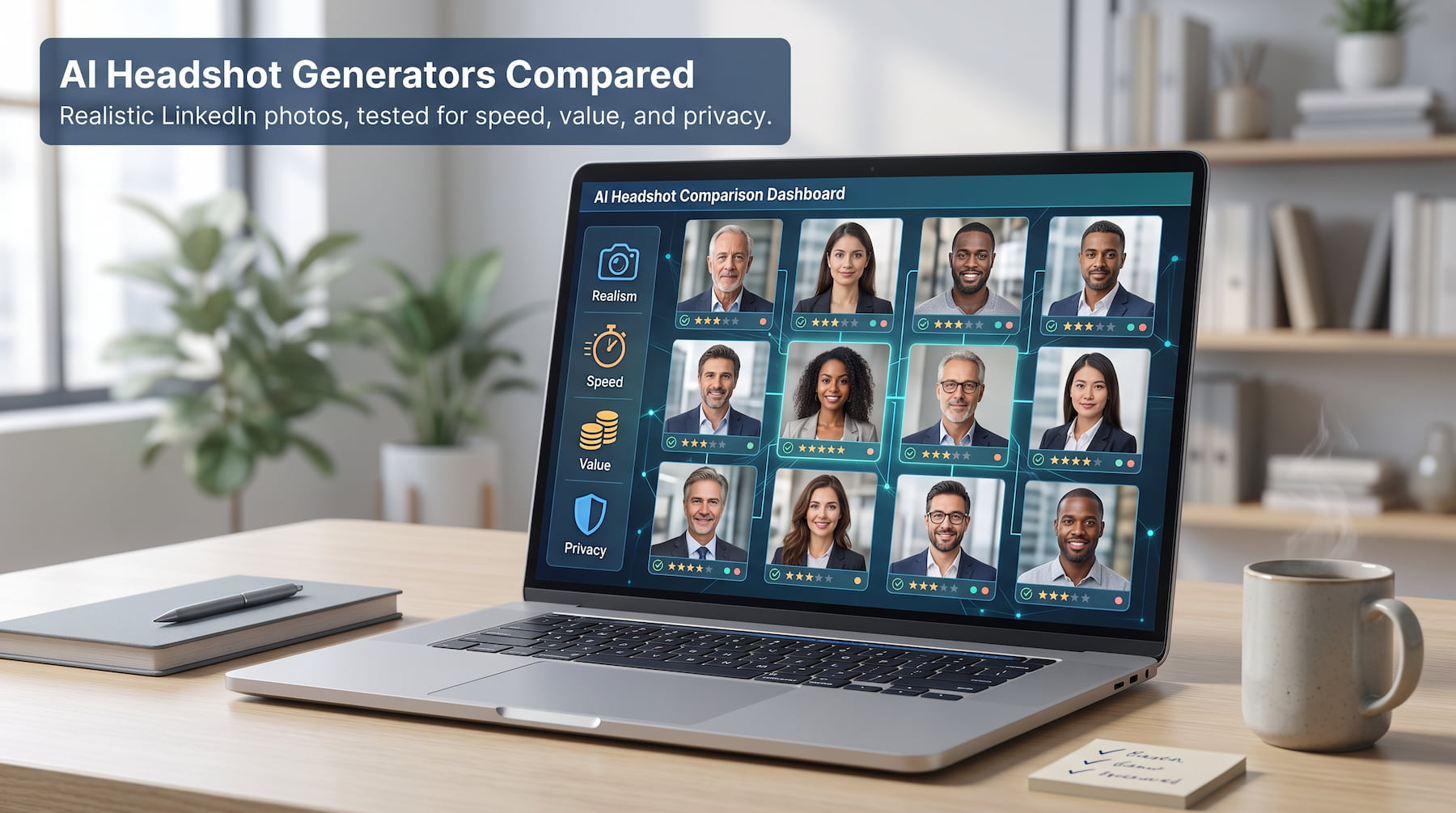
We tested the ten strongest platforms for image quality, speed, price, and data privacy, then ranked them so you can find the right fit without guesswork.
How we compared and why you can trust this list
We didn’t pull these rankings out of thin air. We spent two solid weeks uploading selfies, timing generation dashboards, and tallying costs so you don’t have to.
First, we defined what “best” means for a professional headshot. Realism sat at the top of the scorecard. If the image couldn’t pass for a DSLR portrait, the tool never made this list.
Speed came next. A generator that delivers in fifteen minutes changes your workday; one that takes two days feels little better than booking a photographer. Most services now promise results in under two hours, and several hit the 30-minute mark—according to a 2026 WebSEOTrends analysis.
Value mattered just as much. We calculated cost per usable headshot, not just the sticker price. Packages cluster between $29 and $79, but some throw in 100+ shots while others hand over ten. We divided the final bill by the number of keepers to see who really offers a bargain.
Finally, we graded on trust factors: data-deletion policies, usage rights, and any enterprise perks like team dashboards or bulk discounts. A service that deletes uploads after 30 days or encrypts every file scored higher than one that buries privacy details in fine print.
Each criterion carried equal weight. When two tools tied, we broke the deadlock by asking a simple question: “Which photo would we feel confident posting on LinkedIn today?” The image that looked authentic, not plastic, climbed the chart.
1. Magic Studio: fast, studio-quality results in 15 minutes
Magic Studio AI headshots lives up to its name. Upload ten to fifteen clear selfies, grab a coffee, and by the time you’re back your inbox holds fifty polished headshots.
The experience feels friction-free. The pricing stays simple: tiers start around $49 at press time and include everything you need. You don’t juggle credits or hidden add-ons. Pay once, then receive a folder packed with multiple looks—classic gray backdrop, warm office blur, even an outdoor option for a breezier vibe.
Quality is the main hook. Skin tones look human, not plastic. Hair strands stay crisp, collars sit naturally, and the AI resists the urge to over-airbrush. We posted three Magic Studio images in a blind Slack poll; colleagues assumed they came from a local studio.
Speed is the second punch. Most generators quote “within a few hours.” Magic Studio consistently clocks in under twenty minutes thanks to heavy server allocation. That matters when a recruiter wants an updated photo before tomorrow’s interview.
Privacy and team features round out the package. Uploads travel via encrypted connection, the site deletes source files after processing, and a dedicated dashboard lets HR managers batch headshots for new hires so the company “About” page finally looks cohesive.
Drawbacks? There’s no free trial, and ultra-granular edits such as changing tie color aren’t in-app. But for professionals who want a high hit rate of usable shots with zero learning curve, Magic Studio is the cleanest one-stop option on the market.
Bottom line: if you value speed and simplicity over endless tweaking, start here. You’ll have LinkedIn-ready portraits before your next calendar reminder pings.
2. HeadshotPro: consistent team headshots at enterprise scale
HeadshotPro speaks fluent “brand guidelines.” While most generators treat every user as a one-off, this platform is built for companies that need fifty matching portraits, not one stellar selfie.
The workflow starts with a clean team dashboard. HR invites each employee to upload eight to ten well-lit selfies. The system’s quality gate flags blurry or low-resolution shots before they reach training, a tiny friction point that pays off later in sharper results.
Once the uploads pass inspection, HeadshotPro’s servers go to work. Standard turnaround lands in roughly two hours, but what arrives feels curated: dozens of images per person, all sharing the same backdrop, lighting, and camera angle. Place them on an “About Us” page and the grid looks like a single studio session.
Pricing stays predictable. Individual packs begin around $29 for forty photos, while larger bundles hit $39 for 120. Companies save more through bulk tiers (discounts kick in as headcount rises), so outfitting a 200-person team costs far less than a traditional photographer’s day rate.
HeadshotPro doesn’t bury rights in legal speak either. You own every file outright and can re-download in high resolution whenever roles change or press kits call. Need a quick re-run because your new hire wore glasses in every selfie? Spin up a fresh batch without filing a support ticket.
Drawbacks? Creative freedom is limited. The whole point is uniformity, so if you crave avant-garde backgrounds or casual poses you’ll feel boxed in. The strict upload validator can also reject perfectly fine photos, adding a few extra minutes to the setup.
Still, for startups chasing a polished “one brand, one look” aesthetic, or enterprises swapping out outdated badge photos, HeadshotPro delivers assembly-line consistency without feeling cookie-cutter. It’s the corporate headshot factory that finally gets quality control right.
3. Aragon AI: photographer-level realism with a safety net
Aragon’s marketing claims its portraits are “indistinguishable from a real shoot.” In our tests, the promise held up. The platform reproduces skin texture, catchlights, and subtle shadow falloff that fool even seasoned designers.
Getting started is painless. Six to fifteen selfies, fewer than most rivals, feed Aragon’s training pipeline. Thirty to sixty minutes later, you’re scrolling through batches that look like they came from a high-end portrait lens, not a GPU rack. WebSEOTrends’ 2026 roundup called Aragon “the most realistic generator on the market,” and our side-by-side tests agree.
Packages scale cleanly: twenty photos for $29, forty for $39, or up to a hundred on higher tiers. Each tier includes a 100 percent money-back guarantee, a rare safety net in AI land.
Aragon also respects busy schedules. A premium order lands in about thirty minutes, quick enough to swap your headshot before the afternoon stand-up. The service encrypts uploads in transit, then auto-deletes them after processing, so your candid selfies don’t linger on someone’s server.
Downsides? Perfection can feel glossy. The system sometimes “upgrades” your complexion or brightens eyes beyond reality. Choose shots that still look like the Monday-morning you, not the red-carpet version. And while Aragon offers a background remix tool, outfit swaps remain limited; this isn’t the playground BetterPic provides.
All told, Aragon is the generator you hand to executives who demand magazine-quality portraits. If realism tops your checklist and you appreciate a refund clause for peace of mind, Aragon is the safest bet in town.
4. BetterPic: tweak-friendly headshots for perfectionists
Some of us can’t leave a good thing alone. We want the blazer a shade darker, the backdrop a hair softer, the smile one click wider. BetterPic exists for this crowd.
The flow is familiar: upload a handful of selfies and wait about ninety minutes, but the magic happens after generation. Each image opens inside BetterPic’s built-in studio, where sliders let you swap backgrounds, brighten eyes, or try a different jacket without re-rendering the whole batch.
That post-editing freedom matters. Instead of discarding near-miss photos, you rescue them in seconds. Need one image with a company-brand teal background for the website and another with a neutral gray for conference badges? Adjust, export, done.
Value stays strong. The sweet-spot “Pro” package lands at roughly $39 for sixty shots, and you can add an $8 human touch-up if you want a real editor to polish stray hairs or smooth a collar. For anyone who normally pays a retoucher, that price feels minor.
Quality is high out of the gate; skin textures look natural and lighting feels studio-grade, but you will encounter the occasional odd ear or misaligned necklace. The integrated editor turns those glitches into minor speed bumps rather than deal-breakers.
Limitations? The interface offers so many toggles it can overwhelm first-timers. If you prefer a strict hands-off experience, stick with Magic Studio. BetterPic is for users who enjoy dialing in the last five percent until everything looks just right.
In short, if you treat your LinkedIn photo like a design asset that deserves iterative refinement, BetterPic gives you the tools to craft a headshot that matches every brand guideline without firing up Photoshop.
5. Secta Labs: sheer volume for brand-new looks
If variety fuels your creativity, Secta Labs feels like a limitless buffet. Drop a dozen selfies into its hopper and return to hundreds of headshots, spanning more than ninety styles.
Corporate boardroom? Covered. Loft-style co-working space with soft neon accents? Also covered. You even get a sprinkle of lifestyle angles that fit an “about the author” page on Medium. That scope makes Secta a goldmine for freelancers juggling multiple personas or marketers building split-test campaigns.
Turnaround sits at a few hours, slower than Magic Studio yet still same-day. The $49 single plan keeps math simple, and the cost per usable image plunges once you cherry-pick ten perfect shots from a pile of two hundred.
A standout feature is “Remix.” Click any generated photo, press Remix, and Secta spins fresh variations on that exact pose. It is iterative design without starting over, ideal for nudging background colors or tweaking lighting direction until it matches brand guidelines.
Caveats? With great quantity comes higher noise. You will scroll past plenty of duds, from awkward hands to oddly rendered jewelry. The interface flags top-quality images first, but plan on a short curation session.
Secta also lacks a dedicated team dashboard, so bulk-ordering for an organization means repeating the process user by user. For solo pros and creators, though, no other platform delivers this much stylistic runway for the price.
In short, Secta Labs shines when one headshot style feels like wearing the same outfit every day. It piles on options so you can rotate photos across LinkedIn, Twitter, newsletters, and speaker bios without anyone seeing the same shot twice.
6. AI SuitUp: dynamic poses for speakers and coaches
Most generators freeze you in a formal, face-forward pose. AI SuitUp breaks that mold by capturing upper-body movement such as hand gestures, slight turns, and mid-speech expressions, perfect for conference banners and webinar promos.
Setup asks for about fifteen varied selfies, including a few where you’re talking or gesturing. SuitUp’s model seems trained to recognize limb positions, so the final images keep shoulders, hands, and even microphone props believable instead of melting into AI spaghetti.
Turnaround depends on the tier: six hours on the $27 basic plan and roughly one hour on the $57 ultimate package. Either way, you still beat the time it takes to book a photographer, pick outfits, and wait on edits.
Where SuitUp shines is context variety. We saw shots that look like a TED stage, a modern boardroom, and a casual co-working space, all in a single batch. That flexibility lets you match tone to event without hiring a new photographer each time.
The trade-off? A few images feature slightly off-kilter fingers or an awkward sleeve fold. You’ll discard more photos than with Aragon, but the keepers ooze energy you won’t find elsewhere. Also, SuitUp’s dashboard is single-user only, so teams can’t batch-process with shared styling rules.
If your personal brand involves presentations, workshops, or live streams, AI SuitUp is the quickest route to a headshot that looks alive rather than posed. One dynamic portrait can signal authority faster than ten static smiles.
7. TryItOn AI: a virtual wardrobe on subscription
TryItOn flips the business model. Instead of a one-time bundle, you pay about twenty-five dollars a month for a steady stream of credits. Those credits let you regenerate outfits, backgrounds, or entire poses whenever your look changes or your job title shifts.
Interactivity is the hook. After the first batch is ready (about forty-five minutes in our test), you enter a dressing-room interface. One click swaps a navy blazer for a charcoal one; another replaces a plain wall with a glass-walled office. You can cycle through dozens of combinations without re-uploading selfies or retraining the AI.
That ongoing access fits creators who refresh branding each quarter. Need a seasonal color palette? Log in, spend a few credits, and export fresh shots for social banners. Over a year, the cost rivals a single premium headshot package elsewhere, but you end up with an always-current library.
There are trade-offs. Ultra-high realism trails Aragon by a shade, and the dashboard packs so many toggles that casual users may feel lost. Cancel the plan and you keep past downloads, but new renders stop until you resubscribe.
For serial networkers, influencers, or anyone whose style evolves fast, TryItOn feels like hiring a personal stylist who works at GPU speed. It keeps your profile photo as fluid as the rest of your brand.
8. ProPhotos AI: wallet-friendly authenticity
ProPhotos feels like the sensible sedan of headshot generators. It won’t dazzle you with flashy extras, but it moves you from selfie to solid portrait for about twenty-five dollars, often the cheapest paid option on this list.
Outputs lean toward understated realism. The AI keeps skin texture intact and avoids heavy smoothing, so freckles, moles, and natural lines stay visible. That “this is really me” vibe suits academics, non-profits, and anyone wary of looking overly polished.
The process mirrors pricier tools. Upload ten to fifteen selfies in mixed lighting, then wait a few hours. You’ll receive roughly forty shots across neutral backgrounds and standard business outfits. Variety is modest, yet nearly every image looks usable, so you spend less time sifting.
Feature set is minimal. No built-in editor, no team dashboard, no wardrobe swaps. What you see is what you download. ProPhotos does grant full commercial rights up front, so you can drop the picture onto a billboard if that ever comes up.
Drawbacks? Lighting sometimes skews warm, and the model can miss eyeglass reflections, so plan to discard a couple of renders. Support docs are thinner than big-name rivals, so you rely on email when something breaks.
For students, job seekers on a tight budget, or side-hustlers who need a quick LinkedIn refresh without a sales pitch, ProPhotos AI delivers the highest realism-per-dollar ratio on the market.
9. Canva’s AI headshot generator: convenience for committed Canva users
Millions already craft résumés, slide decks, and social posts in Canva. The platform’s headshot tool fits that same workflow, turning design software into a one-stop personal-branding station.
Generation feels familiar. Upload five to ten photos, click Generate, and wait a couple of minutes. The AI returns eight to ten images, then places them on the canvas so you can resize, crop, or add filters without opening a new tab.
Quality sits in the “good enough” tier. At LinkedIn thumbnail size shots look sharp and well lit; zoomed in, you may notice softer textures that reveal an AI origin. For many users that trade-off works when the tool is effectively included in a Canva Pro subscription or available through limited free credits.
Speed is the headline benefit. Need a headshot for tomorrow’s virtual summit? You will likely have one before the event brief finishes downloading. Because the image lives in your design dashboard, dragging it onto a speaker slide or press kit takes seconds.
There are limits. The generator will not swap outfits or create complex studio lighting. Background options stay basic unless you manually replace them with Canva’s stock photos. If you do not already pay for Canva Pro, signing up just for headshots may not make sense; BetterPic offers more images and higher realism for a similar price.
Bottom line: Canva’s headshot tool is not the most powerful, yet it is the quickest way to move from selfie to polished collateral when you already work inside Canva’s ecosystem.
10. Free options (Fotor & PFPMaker): quick fixes when the budget is zero
Sometimes the wallet says “no,” but the job posting says “photo required.” That’s when Fotor and PFPMaker step in. They aren’t true generative tools; think of them as speedy editors that polish a single selfie into something presentable.
Upload one photo and the AI handles the basics: background removal, subtle skin smoothing, and depth-of-field blur. PFPMaker then offers a carousel of backdrops such as solid colors, soft gradients, and minimalist office scenes. Fotor leans on its broader editing suite, letting you tweak exposure or add a light vignette.
Results won’t fool anyone into thinking you hired a photographer, yet in a 200-pixel LinkedIn thumbnail they pass muster. Best of all, the core functions cost nothing. Higher-resolution exports or extra backdrop packs sit behind small paywalls, but you can leave the site with a usable PNG without entering a credit card.
Limitations are clear. No new poses, no wardrobe changes, and realism depends entirely on the quality of your starting selfie. A poorly lit phone snap stays a poorly lit phone snap, just with a cleaner background.
For students, early-career applicants, or side projects that need a headshot right now, these freemium tools beat cropping a vacation photo. They serve as a safety net when every other option feels out of reach.
11. AI Headshots: studio-trained realism, built by actual photographers
Most generators on this list were built by software teams retrofitting an open AI model on scraped internet photos. AI Headshots took the opposite route: it started as Studio Pod, a real automated photography studio in Houston, Texas, that has shot thousands of professional portraits under controlled studio lighting. That photography-first background is baked into the model, and it shows in the output.
The workflow is familiar — upload 10 to 20 casual phone selfies, pick a style, and wait roughly 30 minutes. What’s different is the range: the Basic pack ($29) delivers 30 headshots across 3 styles, Professional ($39) jumps to 50 headshots across 5 styles, and Executive ($59) tops out at 70 headshots across 7 styles, spanning corporate, creative, black-and-white, modern, casual, and outdoor looks. A dedicated Teams plan ($29/user) adds an admin dashboard, letting a company roll out consistent, on-brand headshots across an entire staff without a single scheduled shoot.
Quality leans toward realism over glossy over-smoothing — hands, collars, and fine detail hold up better than the “AI spaghetti” look that trips up cheaper tools, a direct result of the team’s studio background rather than a purely software approach. Every package includes full commercial usage rights, a 14-day money-back guarantee, and free regeneration if your first batch misses the mark. The company reports 255,000+ headshots delivered to 30,000+ customers, a 4.9-star average across 512 verified reviews, and use by employees at Google, Meta, Microsoft, Amazon, and Stripe.
Bottom line: if you want a generator with an actual photography pedigree behind the model — not just a bigger dataset — AI Headshots is worth adding to the shortlist, especially for teams that want one admin dashboard instead of coordinating ten individual sessions.
FAQ
Will LinkedIn penalise an AI-generated headshot?
No. LinkedIn’s authenticity rules exist to stop people using someone else’s face or inventing a person who does not exist. A portrait trained on your own selfies that still resembles you sits comfortably inside those rules. The practical risk is not enforcement, it is a photo so heavily retouched that colleagues do not recognise you at a conference.
How many selfies should I upload, and what makes a good one?
Most tools here want ten to fifteen; Aragon works with as few as six, and AI SuitUp asks for around fifteen because it also needs to learn how you move. Quality beats quantity. Shoot in daylight, vary the angle and background, include a couple of different tops, and skip sunglasses, hats, and group photos where the model might latch onto the wrong face.
Do I own the images, and can I use them commercially?
Every paid tool on this list grants full commercial rights, and HeadshotPro and ProPhotos both state it plainly rather than burying it in terms. The free editors are where you should read carefully, since resolution caps and licence limits are how they stay free.
Why do some results look plastic, and how do I avoid it?
Over-smoothing is the usual culprit: the model erases pores and brightens eyes until the face reads as a render. Aragon and BetterPic both lean flattering, so when you review a batch, pick the frame that still shows texture and a slightly imperfect complexion. Zoom to 100 percent and check the ears, glasses rims, and collar seams, which is where artifacts hide.
Are these good enough to replace a photographer?
For a LinkedIn thumbnail, largely yes, and $29 against a few hundred is a hard argument to lose. A photographer still wins when you need full-body shots, a specific location, group photos taken together rather than stitched, or a look no model has been trained on.
What does a team of twenty actually cost?
HeadshotPro is the cheapest credible route, with per-seat pricing that falls as headcount rises, and Aragon offers a comparable team dashboard with brand-style locking. Both keep framing and lighting consistent across everyone, which is the entire point when the photos will sit side by side on an About page.
Conclusion
Ten tools, and for most readers the shortlist is really three.
If you want the shortest distance between a selfie and a posted photo, Magic Studio gets you there in about fifteen minutes with a high enough hit rate that curation takes minutes rather than an evening. If you are outfitting a team and care that everyone matches, HeadshotPro is purpose-built for exactly that, and the per-seat cost keeps falling as you add people. If the image has to survive a zoom-in, Aragon holds detail better than anything else here and refunds you if it does not.
Everything else on this list is a specialist: Secta for volume and remixing, AI SuitUp for speakers who need movement, TryItOn for brands that change quarterly, BetterPic for the people who cannot stop adjusting, Canva for those already living in it, and the free editors for when the budget is genuinely nothing.
One habit matters more than the tool you pick. Whatever lands in your gallery, spend ten minutes choosing rather than grabbing the first flattering frame. The difference between a headshot that reads as professional and one that reads as generated is almost always the selection, not the software.